
MMS Gateway - Notifyre
The Notifyre MMS Gateway currently delivers MMS messages to Australian and USA phone numbers. You can use the following methods for attaching media files to your outgoing messages:
- Public URL: simply enter the publicly accessible URL for each media file that you wish to send. You would typically upload the file (accepted file types include PNG, JPG and GIF) to a server and determine the URL to that file and enter this into the URL field when sending an MMS message.
- Base64 Encoding: simply insert your media into the fmMMS Media container field and they will be Base64 Encoded during the sending process and included in the message payload that is sent to Notifyre.
- Get Media Record URL: using the supplied getMediaURL.php file (for the FileMaker Data API) you can generate a dynamic URL on the fly that Notifyre can use to download a media file from the container field in the Media table record. This requires the fmMMS file to be hosted on FileMaker Server. N.B. the getMediaURL.php file currently doesn't work with FileMaker Cloud 2.x deployments due to the differences in how authentication is handled for FileMaker Cloud 2.x users with the Data API. We hope to have a version of the getMediaURL.php file that supports FileMaker Cloud 2.x soon.
You can get further information on supported media files and limitations on the Notifyre website here.
Incoming Messages/Replies
You can get incoming messages/replies to your Notifyre number into the fmMMS file in a number of ways:
- Use OttoFMS Webhooks
- Use PHP Webhooks to have Notifyre push these automatically to fmMMS using the supplied PHP files
Using Webhooks is the preferred method as it saves you from having to poll/check for any new messages - with Webhooks new messages are forward to fmMMS automatically by Notifyre as they are received. If you are new to webhooks we recommend using the free OttoFMS product from Proof+Geist.
Notifyre Otto Webhooks Setup
Please visit the Webhooks using OttoFMS guide for instructions on setting up Otto Webhooks for your Notifyre number. You will need to create a new webhook and enter the Otto webhook URL using the instructions above. The OttoReceiver script is ready to handle incoming MMS messages from Notifyre.
Notifyre Webhooks Data API PHP Setup
To receive incoming MMS messages to your Notifyre number, including replies to previously sent messages, you will need to use the supplied WebhooksIncomingMessages.php webhook file to act as the webhook receiver. See our Webhooks guide for what you need to do host the WebhooksIncomingMessages.php file on your chosen web server. Once you have the publicly accessible URL for this file you can enter the URL to this file in your online Notifyre account settings as follows:
- login to your Notifyre account via their website
- click on Developer in the side navigation (or go to https://app.notifyre.com/dashboard/developer)
- Click on the Webhooks option and click the New button
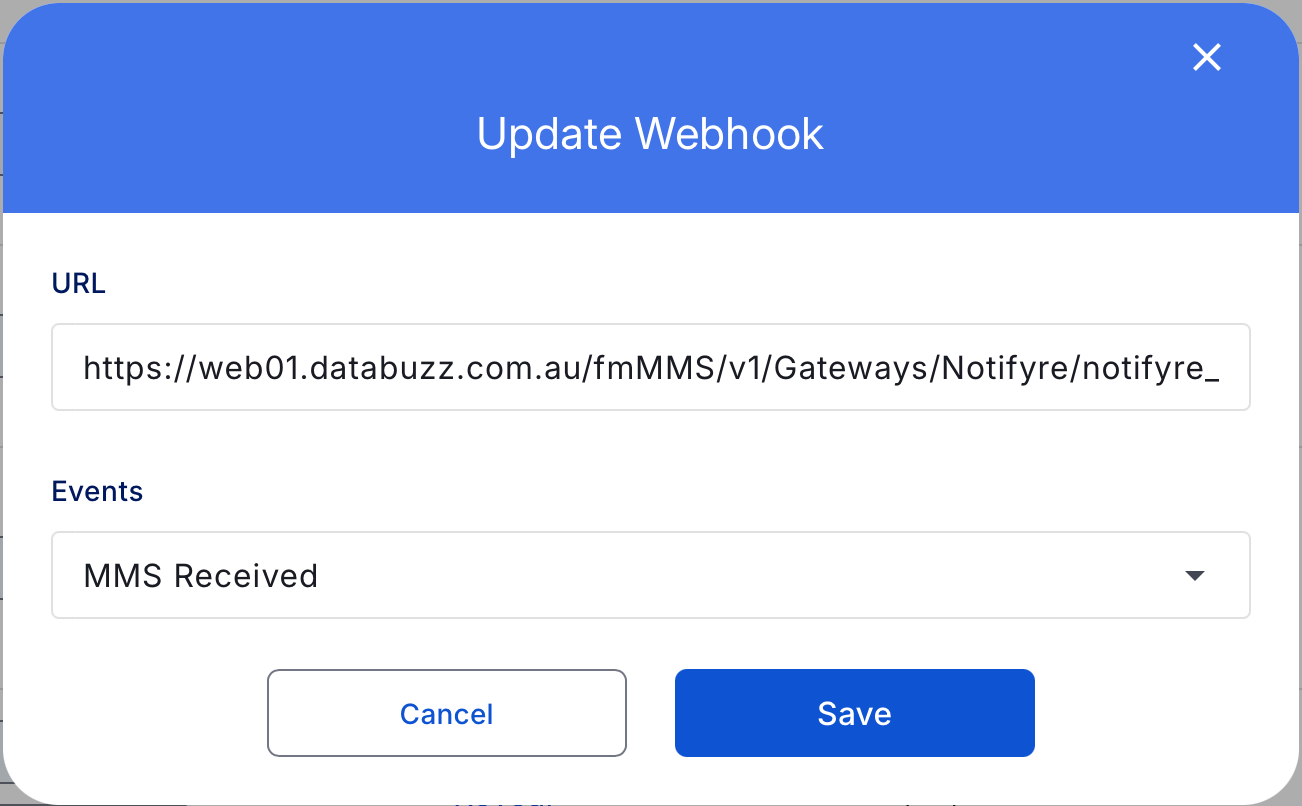
- enter the URL in the URL field
- for the Events select MMS Received.
- click Save
It should look similar to this screenshot:
You can get further information on Notifyre MMS Webhooks on the Notifyre website here: