
Accounts
The Accounts table in the fmESignature Link file is used to store API Keys and Tokens for each Docusign App/Integration that you authenticate with in either the Sandbox or Production environments. As outlined in the Authentication guide you can use either the Authorization Code Grant or the JWT Grant authentication methods.
You would typically create an Accounts table record for working with the Docusign Sandbox whilst you are testing the integration. When you go live and promote the Sandbox integration to a Production account you would then create a new Accounts table record and authenticate that with the integration in the Production account. This allows you to dynamically switch between a Sandbox account and a live Production account when sending envelope signing requests.
You can also create Accounts records for the different authentication methods. For example you might be interested in testing out the Send On Behalf Of feature.
It's important to note that Template records, Requests records and DocusignUsers records are all linked to an Account record. That controls which account is used to make requests to the Docusign API (e.g. when downloading a Docusign Template or sending an Envelope). You could have Template records linked to your Sandbox account and other Template records linked to your live Production account.
When sending a Request the Account you select determines which Templates are available and whether you can use the Send On Behalf Of feature.
Templates
A Template is linked to an Account record by selecting an Account from the drop down menu here:

When downloading Docusign Templates you will only be able to download Docusign Templates that belong to the Docusign account that the related Account record is authenticated with.
Requests
A Request is linked to an Account record by selecting an Account from the drop down menu here:

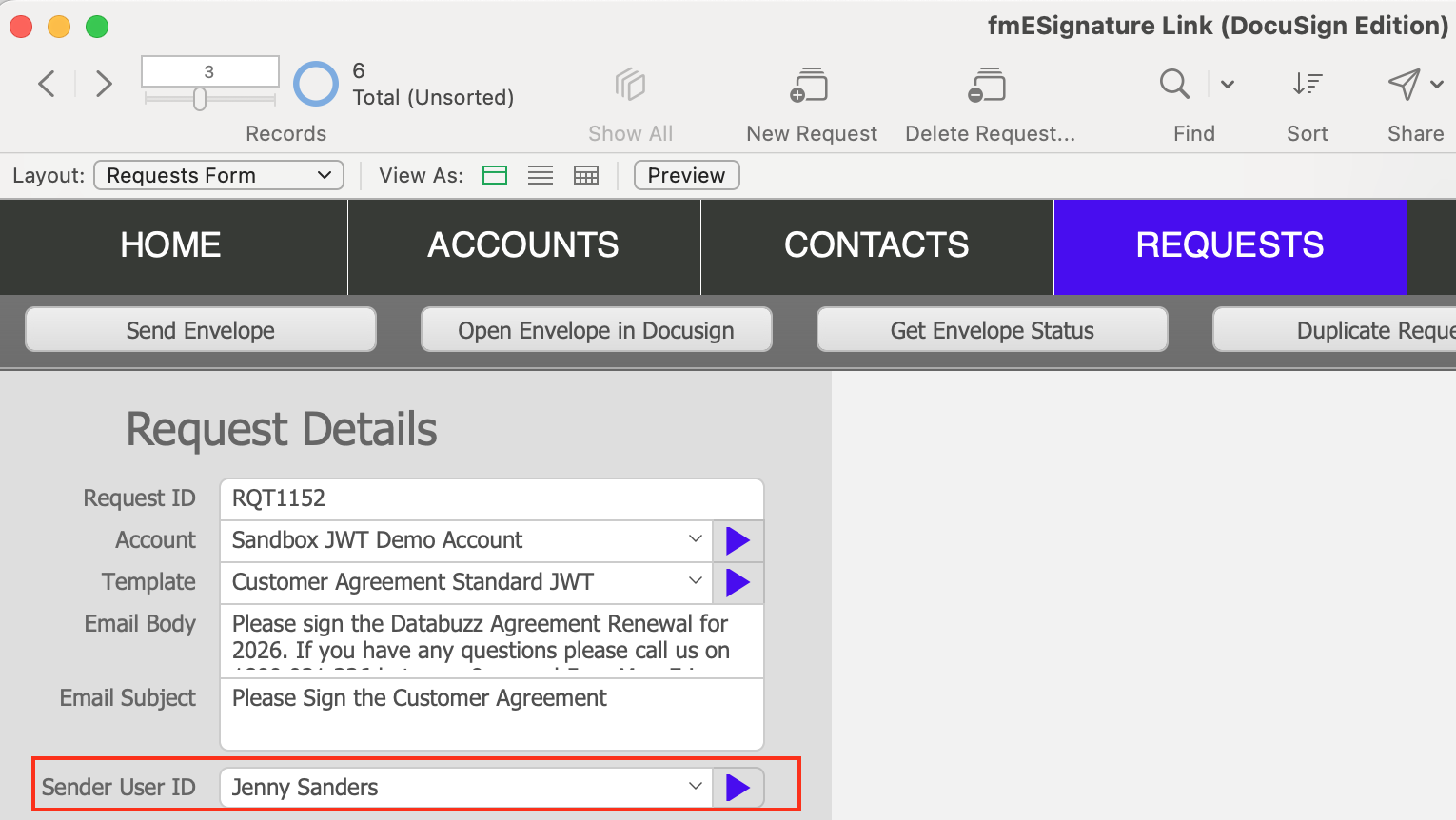
When sending the Envelope from the Request Details layout it will use the Docusign account that the related Account record is authenticated with. If the related Account record uses the JWT Grant authentication method you will also see the option to select a Sender ID:
Account Settings
In the Account Settings layout (Accounts Form) you can enter the details for authenticating with the Docusign API (see our Authentication Guide for more details):

There are also a number of tabs
Users: you can download a list of Users for the Docusign account you have authenticated with. The main purpose of this is for use with the Send On Behalf Of feature.
Requests: this shows all related Requests for the Account record you are viewing
Templates: this shows all related Templates records. You can also download all Docusign Templates for the Docusign account by clicking the Download All Templates button.
Supported Languages: if you need to specify the Language for a signer recipient you can download the list of supported languages from this tab. See this article in our FAQ for more details on how to specify the language for a recipient.
Payment Gateways: if you are sending Requests which also include a Payment request you can download the list of Payment Gateways for your Docusign account from this tab. See our Sending Requests for Payment guide for further details.
Identity Verifications: if you are sending requests with Identity Verification (e.g. Phone Authentication and DocuSign ID Verification) you can use this tab to download the list of Identity Verifications from DocuSign for your account. We'll have an updated guide on this shortly but you can refer to our guide from v1 for more details for now.